

Even if you run a side hustle or a small personal project, project management can be incredibly rewarding. In the world of management, it’s still one of the most in-demand and well-paid roles across industries.
And here’s the good news:
In just under 5 minutes, you’ll learn everything you need to start managing your projects like a pro.
Who Am I to Talk About Project Management?

I’m Michele.
I studied Industrial Engineering between Italy and Japan, and over the years I’ve worked with global corporations and fast-moving startups.
Today, I work as a digital and strategy consultant, and I often lead massive projects as a project manager for international clients. With the right systems (and the tools I’m about to show you) leading complex projects becomes not just easier, but actually fun.
Here’s the one thing I’ve learned that changed everything:
A project is only as successful as the system you use to manage it.
Whether it’s a personal goal or a business idea, you need structure from day one.
If you’re curious to learn more about me, check out my “About Me” page.
The 2 Tools That Changed Everything
These aren’t just tools I found online. I built them myself, based on years of trial and errors, managing real projects with real deadlines and real people.
Whether you’re selling physical products, digital services, or launching a brand, these tools will help you stay on track and deliver on time.
The Gantt Chart: Your Project’s Brain
Let’s start with the king of planning tools.
A well-designed Gantt Chart is the backbone of any successful project, big or small.
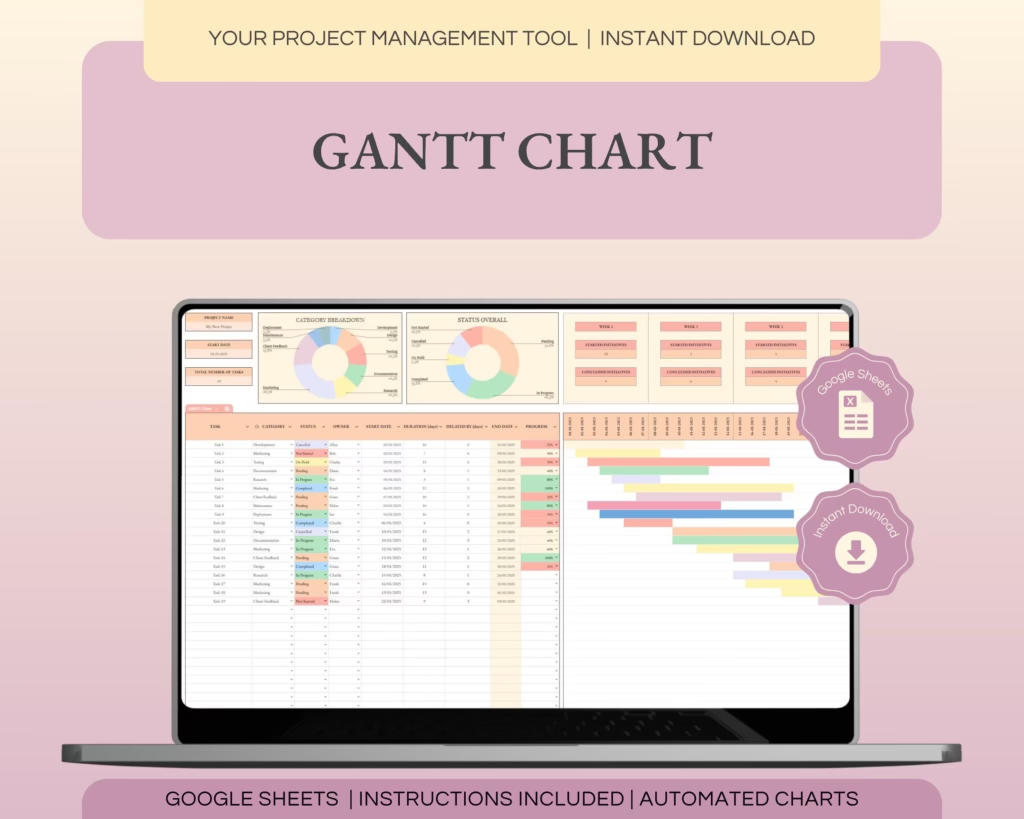
When designing my Gantt template, I focused on the essentials:
- Task name
- Task category
- Owner (who’s responsible)
- Start date and duration
- Weekly tracking of completed initiatives
- A visual dashboard to monitor progress at a glance
That’s it.
This Gantt Chart includes both a classic table view and a visual dashboard that updates in real time, so you can see what’s happening without digging through spreadsheets.
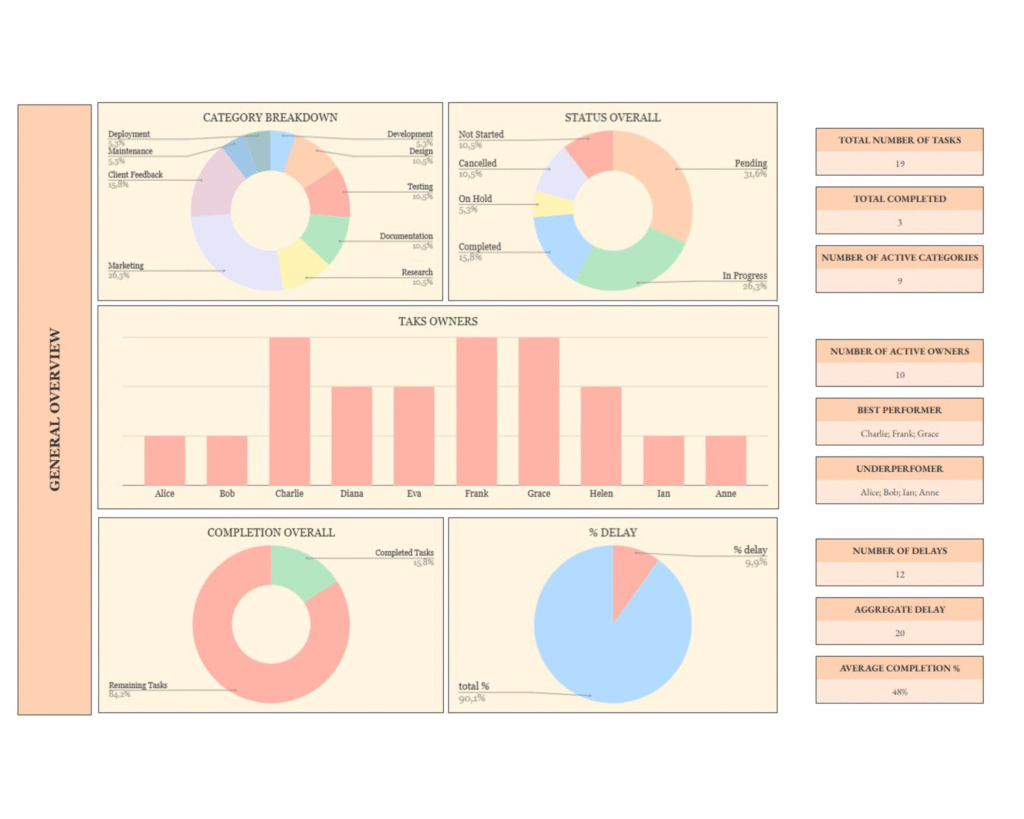
I use it every single morning to check progress, update priorities, and make fast decisions.
I give it a solid 5/5, because after years of working with teams and clients, I’ve never thought,
“This tool is missing something.”
Bonus Resource: The Business Plan You Actually Need
Since you’re reading this, chances are you’re either building something or thinking about it.
That’s why I wrote a step-by-step article to help you create a strategic business plan you can actually use (even if you’ve never done one before).
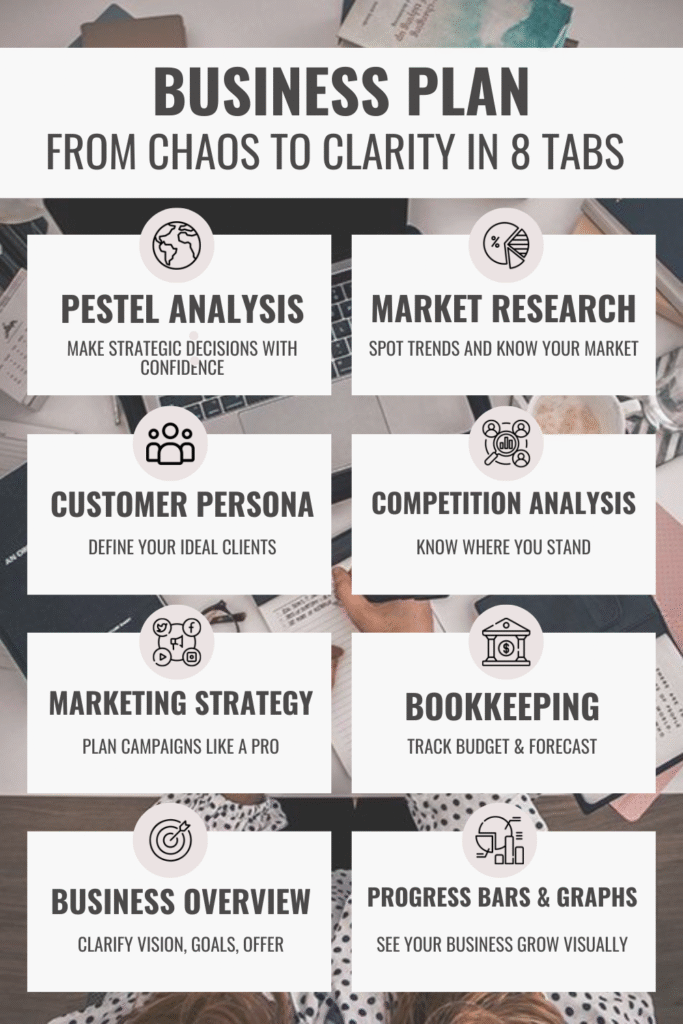
(Yes, it’s one of my favorite guides.)
The Eisenhower Matrix: Cut the Noise, Focus on What Matters
Let me be honest with you: this tool is seriously underrated.
And yet, it’s one of the best ways I’ve found to actually get things done when you’re juggling ten priorities at once.
If you’ve ever had that feeling of
“I don’t even know where to start…”
Then this is exactly what you need.
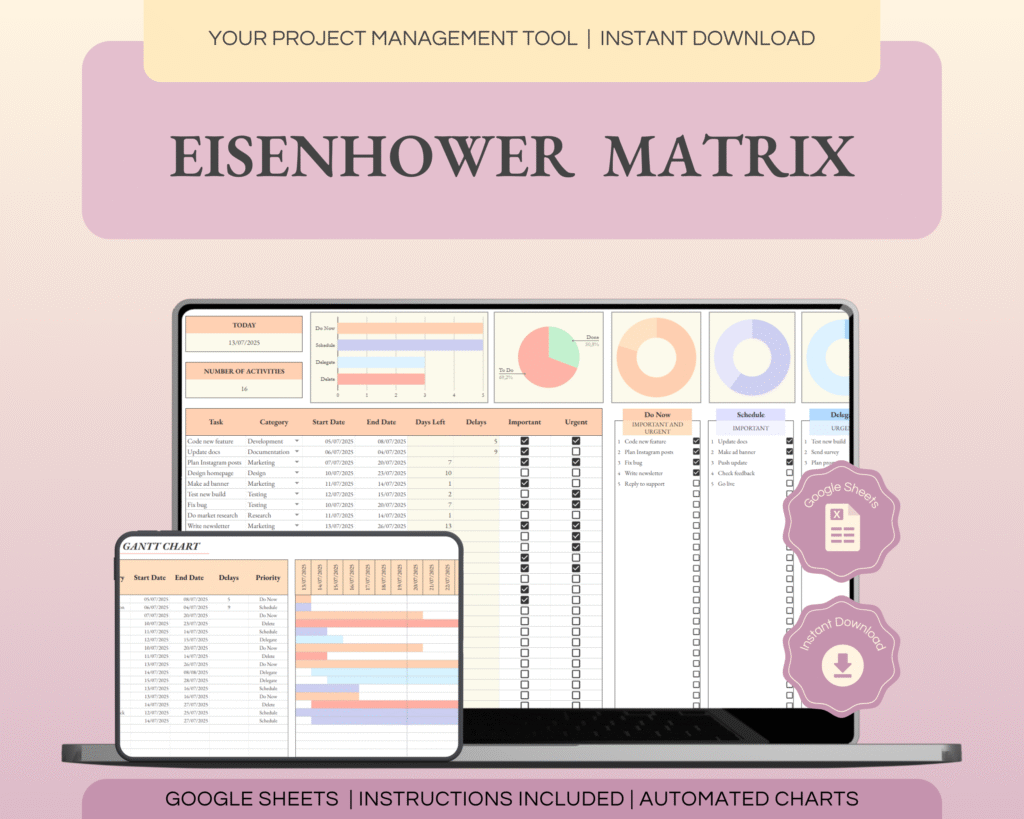
The Eisenhower Matrix helps you organize tasks by urgency and importance, so you don’t waste time on things that don’t really matter.
It’s especially useful if:
- you work with a team and need to divide responsibilities clearly
- you’re working solo and need clarity on what’s really worth your time
Before I dive in, let me share a quote I found while researching time management frameworks:
“Successfully managing multiple tasks requires prioritization. The Eisenhower Matrix prioritizes tasks by categorizing them based on urgency and importance. Tasks that are both urgent and important are completed first, while nonurgent and unimportant tasks are last. “
— Sandra A. Murray et al., 2022
My Custom Template (and why I built it this way)
Most templates I found online were either too minimal (just four boxes and vibes) or way too complex to use consistently.
So, I created my own version with a few key tweaks that actually make a difference:
- A clean weekly layout – because I plan in weekly sprints, and I need to see who’s doing what, when
- A fully automated mini Gantt chart – because once I prioritize, I also want to schedule and track it fast
- Color-coded blocks – tied to urgency/importance so I can literally see what matters without overthinking
This setup helps me every time I feel like everything’s on fire.
It gives me a sense of control and lets me help my team focus too.
When I first introduced this to my team, everyone jumped on board instantly. Now we use it regularly to manage ownership and priorities with zero confusion.
I might be biased, but honestly… I’d struggle to go back to working without it.
If you’re managing multiple moving parts, you should 100% give this a try.
Before You Go
I genuinely enjoyed writing this because project management is something I’m passionate about, and I hope that came through.
Let’s recap:
- You don’t need to be a corporate manager to use real PM tools.
- Whether you’re starting a side hustle, launching a brand, or scaling something small, tools like the Gantt Chart and the Eisenhower Matrix can make your vision achievable.
- And most importantly: you don’t need to do it all manually or alone.
If this article gave you even one helpful idea, I’d love to hear about it.
Leave a comment and let me know what you’re working on!
Also, follow me on Pinterest where I share practical tools and content for entrepreneurs like you.
Wishing you all the best in your next project, and if you use these tools, I’m sure it’ll be a success.
A Hug,
Michele